Preview:
Links:
https://www.mediafire.com/file/fowe4o49rja4dh2/1._Twilight_Bracelet.zip/file
Materials:
- Software:
- Solidworks for basic modeling
- Siemens NX for final touches (filets, etc)
- Tested for compatibility with Autodesk Fusion 360 (cheap and commonly used by hobbyists).
- Services
- Craftcloud for getting the model printed (17-4 martensitic stainless steel, which is magnetic, as opposed to austenitic which isn’t).
- Materials
- 3D printed metal
- Duplicolor Metalcast spray paint (base coat and gold):
- 2mm x 1mm Round Neodynium Magnets:
- Gorilla super glue (for fixing the magnets in the holes)
About:

I think I was a teenager when I first watched .Hack//Sign (mid 2000s, it wasn’t brand new, but it wasn’t by any means old). Maybe it was as early as 5th grade, or maybe it was as late as 10th grade, I’m not entirely sure. These were easier times, before SAO and other isekai were even thought of.
I loved the dark, mysterious soundtrack that //Sign had to offer, and I kept it on my iPod / phone ever since for its unique sound. The story spoke to me as well, about letting others into your life because they can often help you out of tough times (I self-inserted as Tsukasa seeing as I was in my edgy years of life), and about how you can’t abandon reality no matter how hard it gets (i.e. drugs, truck-kun, etc).
Since those days, I became a mechanical engineer and hobbyist. I have been learning more and more about how things are made (physically) and I myself have been on the design side my entire (short) career. I still love anime, and am now a seasonal anime junkie. I’ve run across many stories in this hobby, but nothing was ever quite the same as .Hack. I never played the games or consumed the other media, until recently I decided to rewatch //Sign. This sparked the old fire up once more.
Because //Sign ends unconcluded (not entirely anyway), I decided to finally go back and consume the entire franchise (at least what was canon) so that I understood the entire universe. I had seen the //Legend of the Twilight anime years ago (turns out it isn’t canon), so I knew the story was bigger than just //Sign. I asked r/DotHack and received the list of canonical titles / media which would tell the entire story. I am still working this list down.

I first went back to the first title chronologically, //Epitaph of Twilight. This book fascinated me, because initially I took //Sign as the isekai before isekai. //Epitaph of Twilight, however, makes it clear that the story being told is much more ambitious than just a well written isekai. Fully invested in the story now, I wanted to make some kind of object to have as memorabilia.
There were plenty of possibilities, but at the center of //Sign was the Key of the Twilight. Also, in //Epitaph of Twilight, the Key of the Twilight is explicitly said to be the Twilight Dragon which has the power to Data Drain based on the description of it resetting the world. While not explicitly said in //Sign, it is more explicit in //Legend of the Twilight that the Twilight Bracelet (which was inside the dumbbell monsters in //Sign) is the thing granting the power to Data Drain. Thus it is a “common” item and major player throughout the franchise. This was what I decided on as my keepsake.


It doesn’t take a genius to realize that the different iterations of the Bracelet do not look the same. There were a number of factors that helped me decide on which to make.
- Transparent blue, highly flat bracelet would be hard to make.
- I don’t want to wear a golden hexagon nut on my wrist.
- Intricate looks better / cooler.
- //Sign was the series I was always fascinated with (for the music, the story, everything).
Thus it was (pretty easily) decided that I would do the Twilight Bracelet as depicted in //Sign.
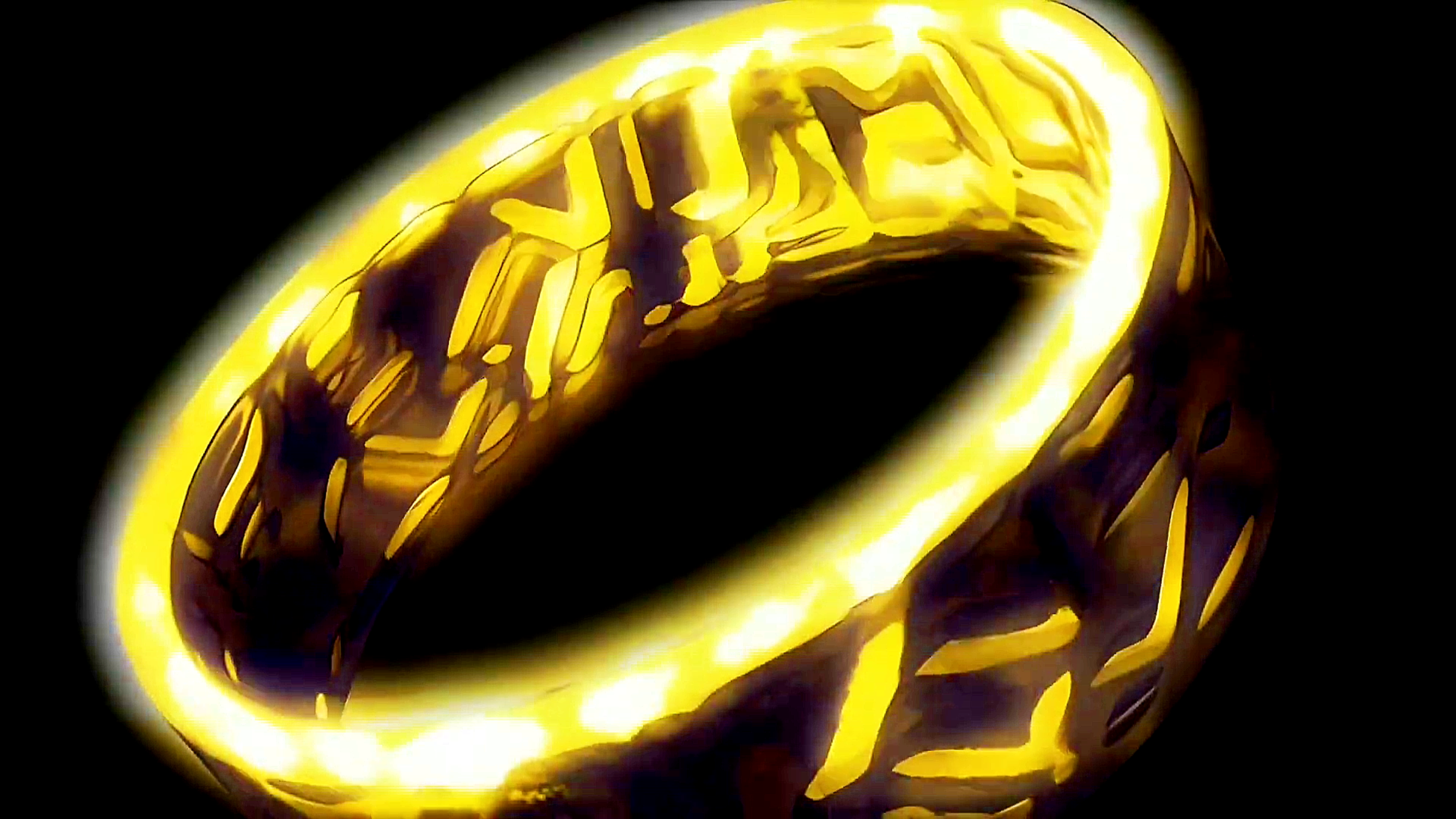
Now, we get excellent details shown on Episode… none. The Twilight Bracelet is only ever shown in the opening and inside the dumbbell monsters. In the monsters it’s incredibly low resolution, and in the opening, you get a few moments of it spinning, and that’s it. Even then, most of it shines way too much to make anything out. So I did what any reasonable person would do. I clipped those sections of the opening, slowed them down like crazy, enhanced the colors to make everything visible, and identified the images that would be most helpful. What I ended up with was these two:


What we see in the first one is that there are (sorta) two rows of “text”. More like symbols but we do see some repeated shapes, so I treated them as sorta alphabetical (no immediate duplicates like some letters do in English, but repeats themselves are okay). We can also note that the letters are both inside and outside the Bracelet.
I then stared forever at the second image and used what I saw to derive the shapes of the symbols. If you look too hard, you will only see squares, triangles, and curves. That doesn’t make much of a “language”, so I took the artistic liberty to assume gaps anywhere I didn’t see lots of reflection. Thus the triangles were not entirely closed, and some of the rectangles had only 3 sides, etc. This led to a more interesting / visually obvious “language”, and that’s my entire justification for the differences between the picture and what I came up with.
Also, comparing the two images, there are some commonalities, but there are notable differences, so I’m not entirely convinced the artists had a singular Bracelet concept in mind when they made this anime. Honestly it seems like, if the anime didn’t stay consistent with the letters, then trying to do an “exact” copy is meaningless. As long as I get a rough imitation of what I see portrayed, it will be as correct as any scene in the //Sign anime.
Random side note, I did try to get AI to extract the edges from the pictures and build a model, but it failed. So this was done by hand and my own artistic sense. Thus, this is what I came up with, after lots of CAD and passing files back and forth between programs:

To explicitly show where certain things came from, I offer this:

I looked at the entire spinning sequence, so other shapes come from other angles of this shot as well as from other shots in the //Sign opening. From there I just wanted to be able to put it on and take it off easily, have it fit well, and keep it a simple design. Thus magnets were my starting point, since I knew I wanted it to be metal.

Before that though, how did I get the dimensions for the bracelet? I literally put individual frames from the anime opening on my screen and got a ratio of inner diameter to height to thickness. I then sized the inner diameter to my wrist size, and that gave me the other values. I also made the edges rounded (unlike the images) for comfort reasons. Finally, I made the symbols into two distinct rows, and they span the entire height of the Bracelet.


After that, I split the ring into two parts, and made holes for the magnets. I was originally going to do rectangular magnets, but I couldn’t find any that worked for this small thickness, so I used a bunch of button magnets instead, expecting that they will be fairly weak compared to the weight of this bracelet. That’s why I have lots of them. Also, to make sure they fit, the holes are slightly larger and deeper than the magnets (+0.2-ish mm) so that if the magnets are slightly larger or the holes are made slightly smaller than the ideal, things will still fit.
After that, I realized that alignment could be an issue (because I’m too much of a perfectionist), so I added a guide pin and hole on each half to ensure it sits straight when connected.

From here, considering this cannot be machined, the only way to make this from metal is DMLS (Direct Metal Laser Sintering, it’s cool stuff). Basically 3D printing metal. I got online and got a quote from a number of places, such as Xometry, RapidMade, etc. The cheapest one I found was ShapeWays, who quoted both halves for a total of $250 if made from steel. Aluminum would cost close to $400. Unfortunately they shut down just before I got to order this, but in looking for alternatives, I found Craftcloud, which sources from China / Hong Kong, but it was made well, made quickly, and was only about $100 for both halves and shipping. So that was a winner. I had to redrill the magnet holes to make sure they were big enough, but no complaints on anything else.
To make this gray metal golden, I used Duplicolor Metalcast spray paint. Some auto shops carry it, so you might be able to get it locally, but I had to order it off Amazon. There’s a lot of videos about them on YouTube, so make sure you’re getting the right stuff before you start painting yours. Mine was already metal, so I just needed a base coat paint and the golden paint (NOT the copper one, it’s too dark).

I got the magnets from Amazon (they have a pack of 100 of these sized magnets for like $6), and ordered the ring in magnetic stainless steel (not all SS is magnetic, but 17-4 stainless is) to see how it holds up. After that, it worked out fine, so I distributed the final file collection so that others can get their own versions as they see fit. STL files are provided so that users can scale it to their own wrist size as needed, regardless of what program they use (it’ll probably be Fusion360, or maybe Blender, both of which can do this).
Thanks for reading, I hope you enjoyed!
